
The NÜWIEL eTrailer
Please note that you can only attach the eTrailer to your bike if access to the seat post is not blocked by a child-carrier seat or other equipment.
You should not attach the eTrailer to a seat post made of carbon fibre.
Ride slowly and avoid sudden speed change when turning.
Transport of humans or animals is prohibited.
The maximum payload is 150 kg.
If the payload is above 1m high, the eTrailer should be used in handcart mode only.
You are currently viewing a placeholder content from Vimeo. To access the actual content, click the button below. Please note that doing so will share data with third-party providers.
More InformationYou are currently viewing a placeholder content from Vimeo. To access the actual content, click the button below. Please note that doing so will share data with third-party providers.
More Information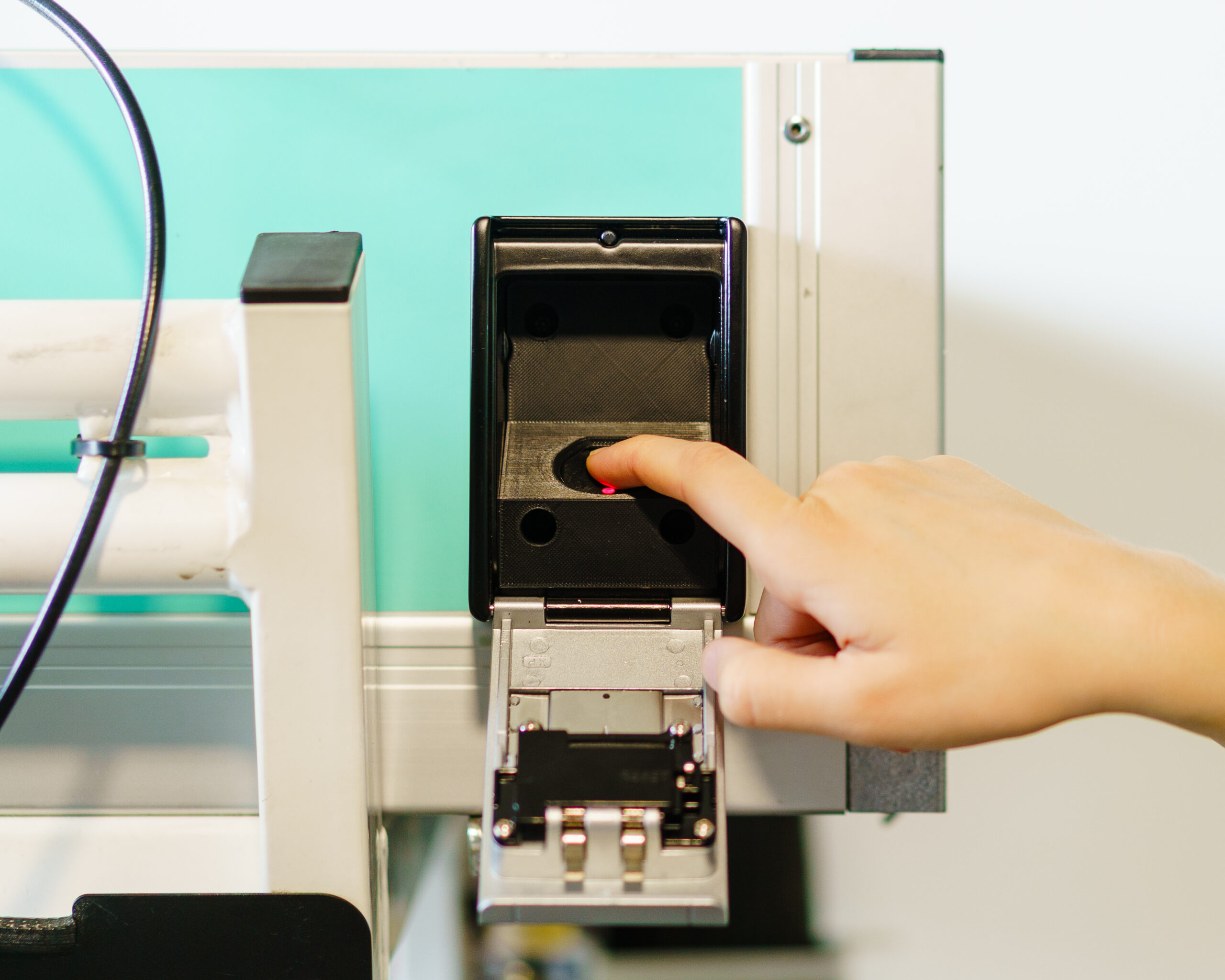
Turn on the eTrailer
Press the button inside the lockbox until it beeps and the lights turn on. The eTrailer is now activated.
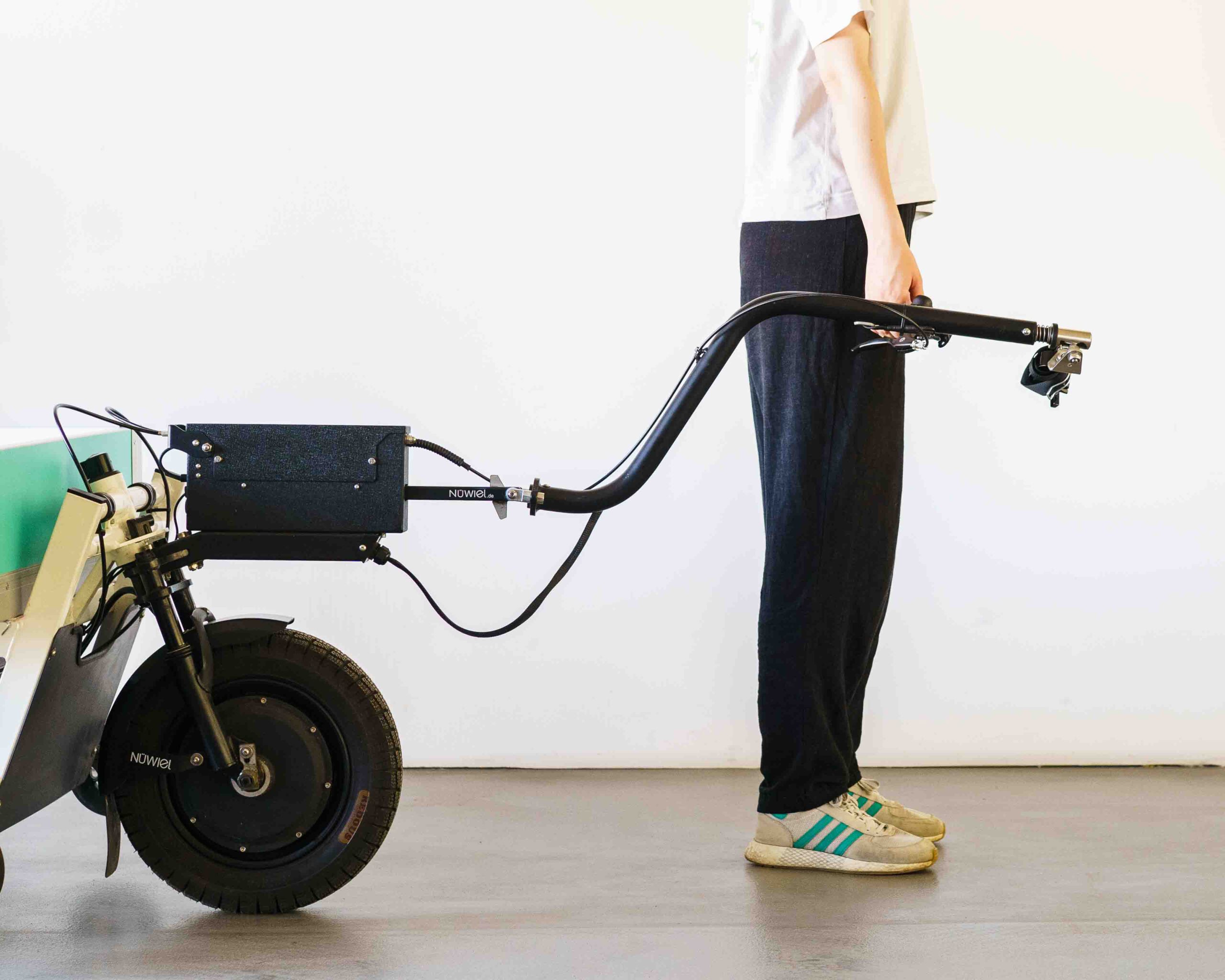
Position the Towbar
Fold the towbar down and hold it comfortably at your side.
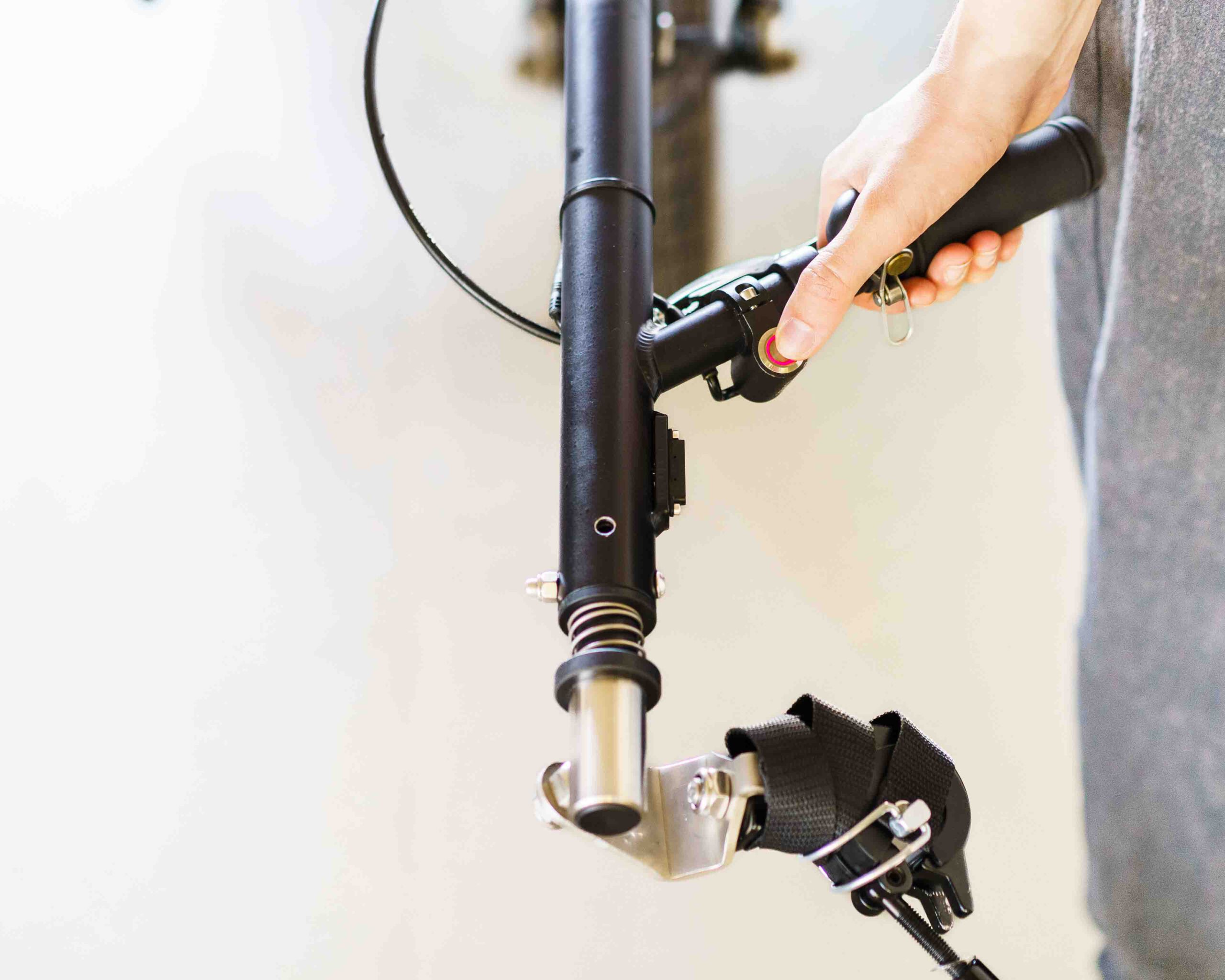
Release Parking Brake
Press and hold the eBrake button for 1 second, until you hear a sound. The button colour will change from red to neutral.
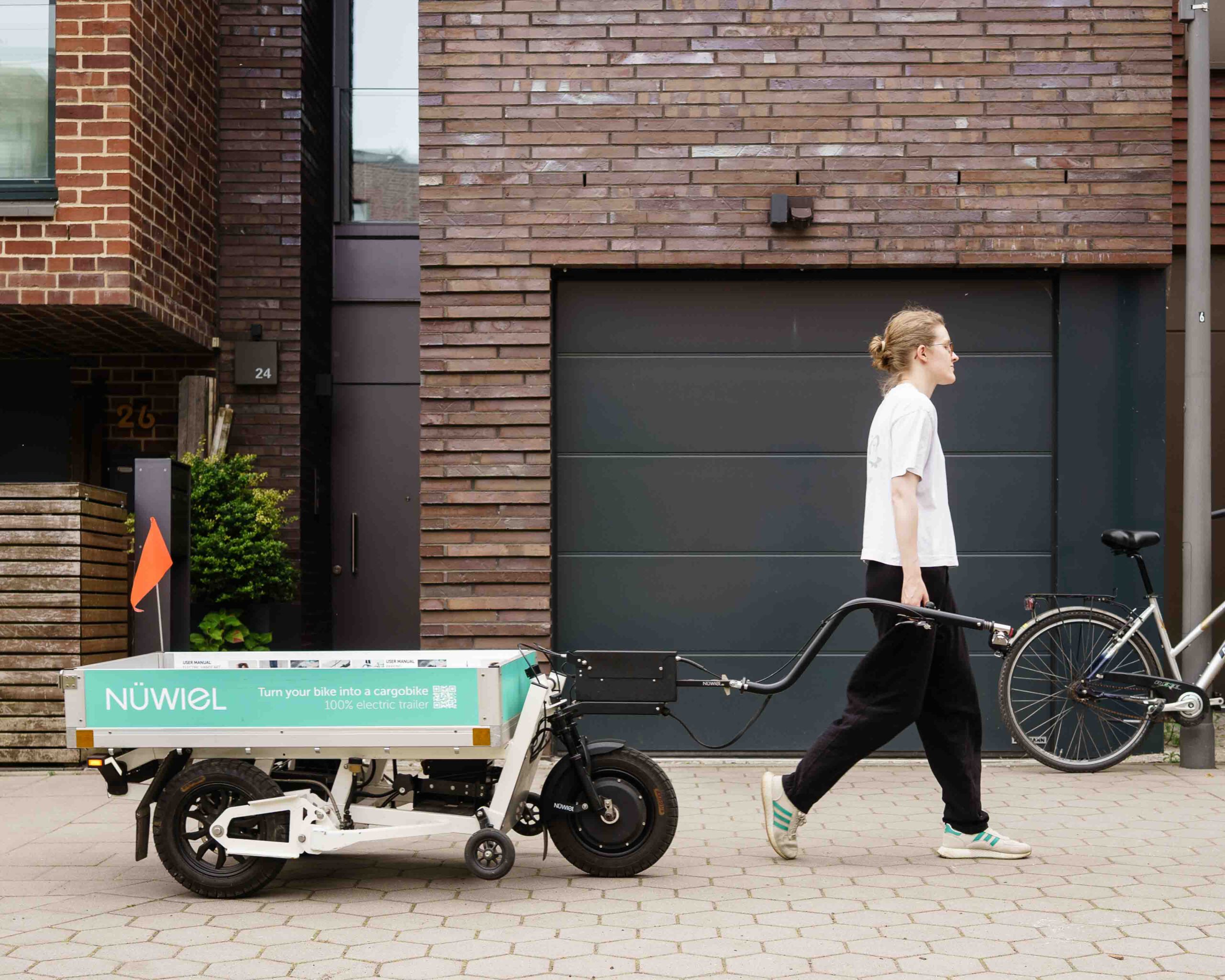
Bring the eTrailer to your Bike
Position the eTrailer behind your bike before activating cycling mode.
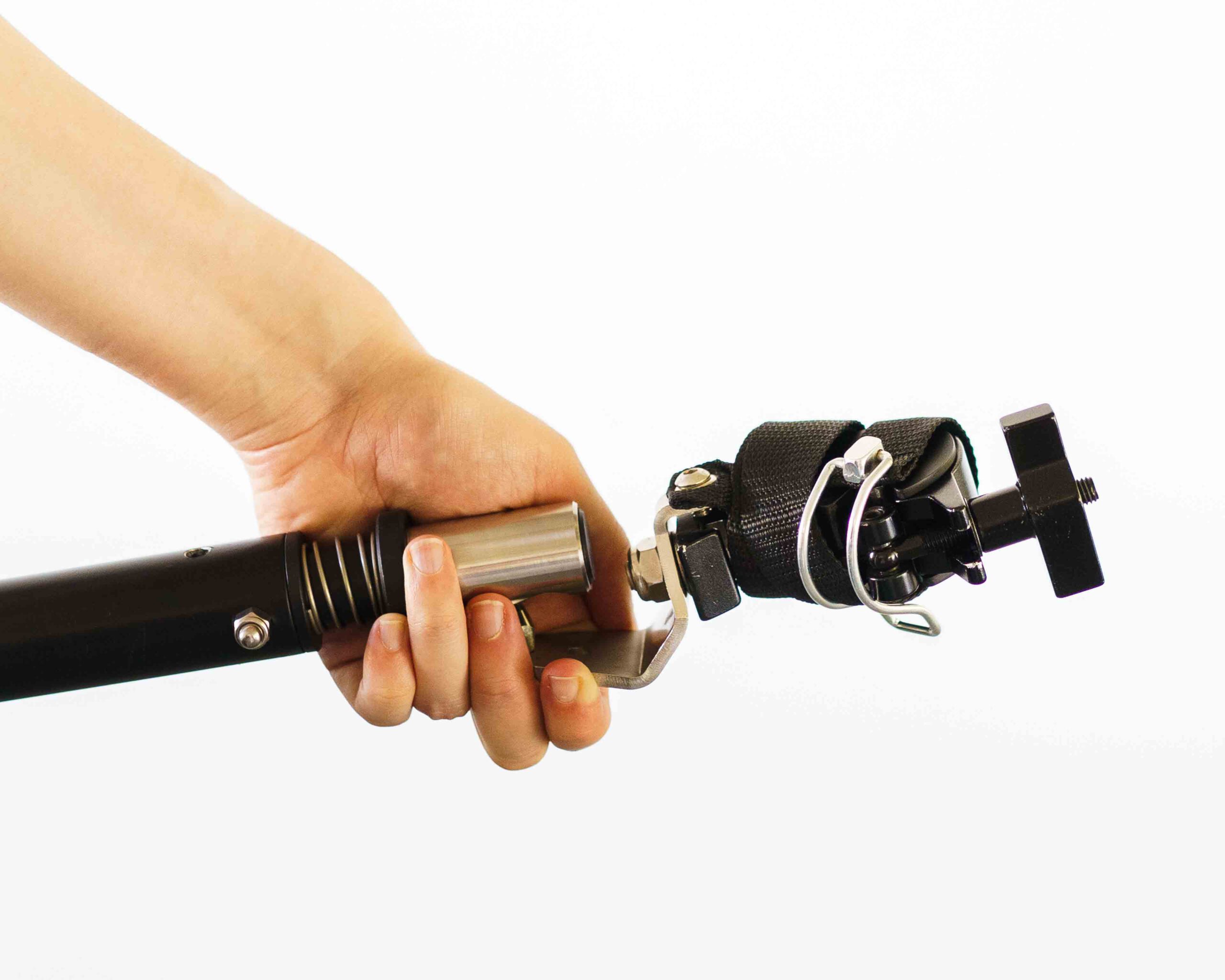
Prepare the Coupling
Remove the safety strap from the coupling.
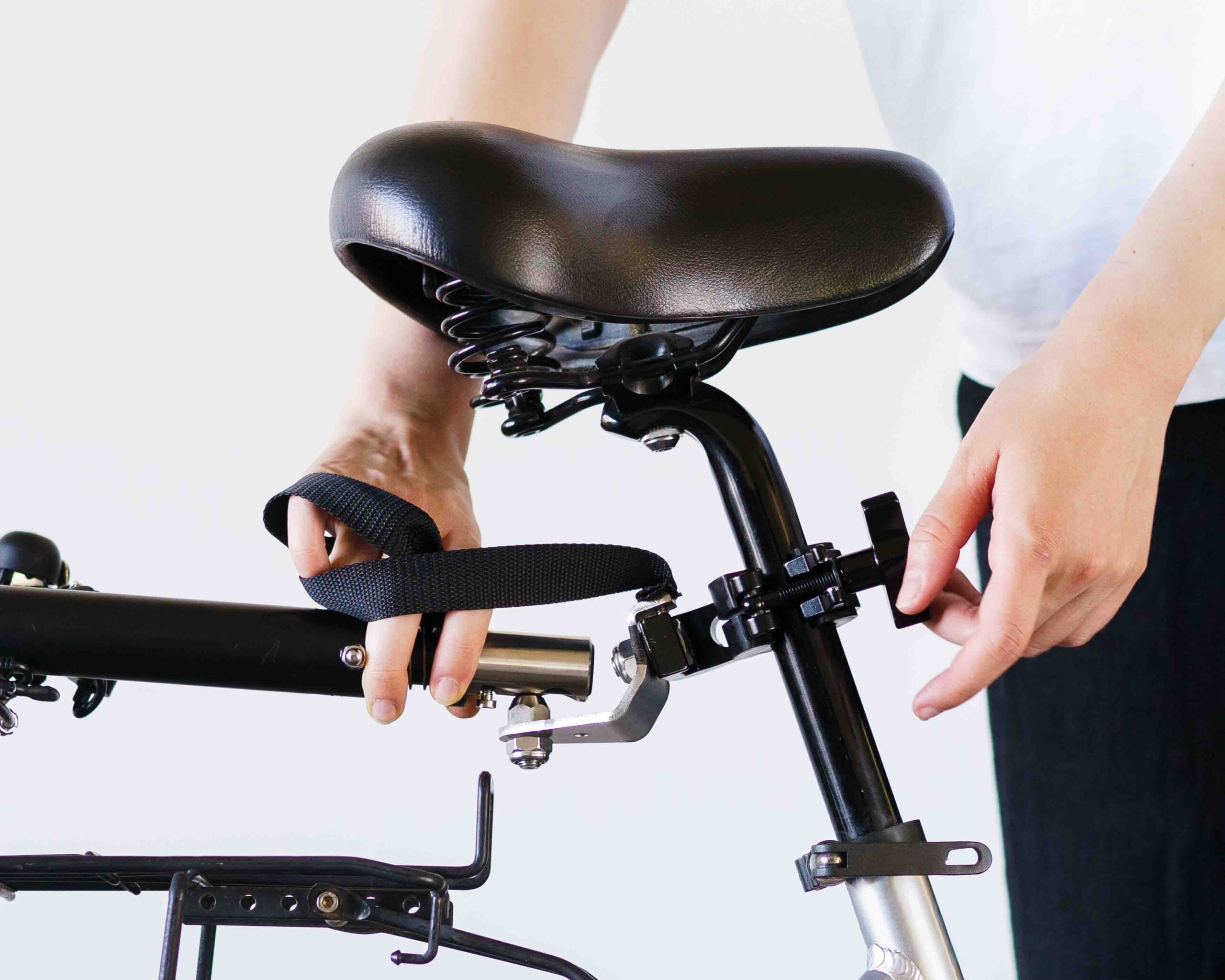
Mount the Coupling
Attach, align, and tighten the coupling.
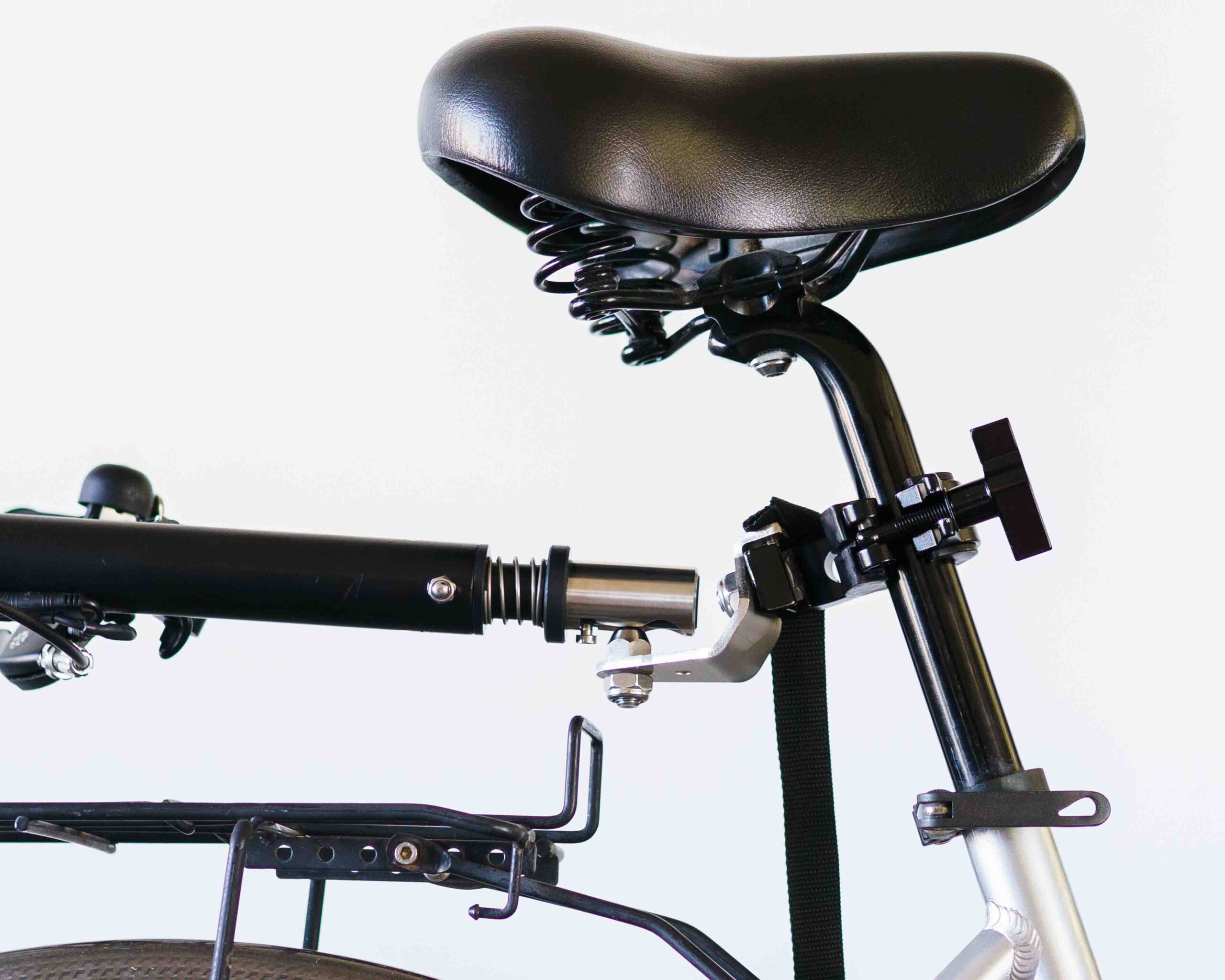
Align the Towbar
Make sure the towbar is straight and the coupling clamp is parallel to the seat post.
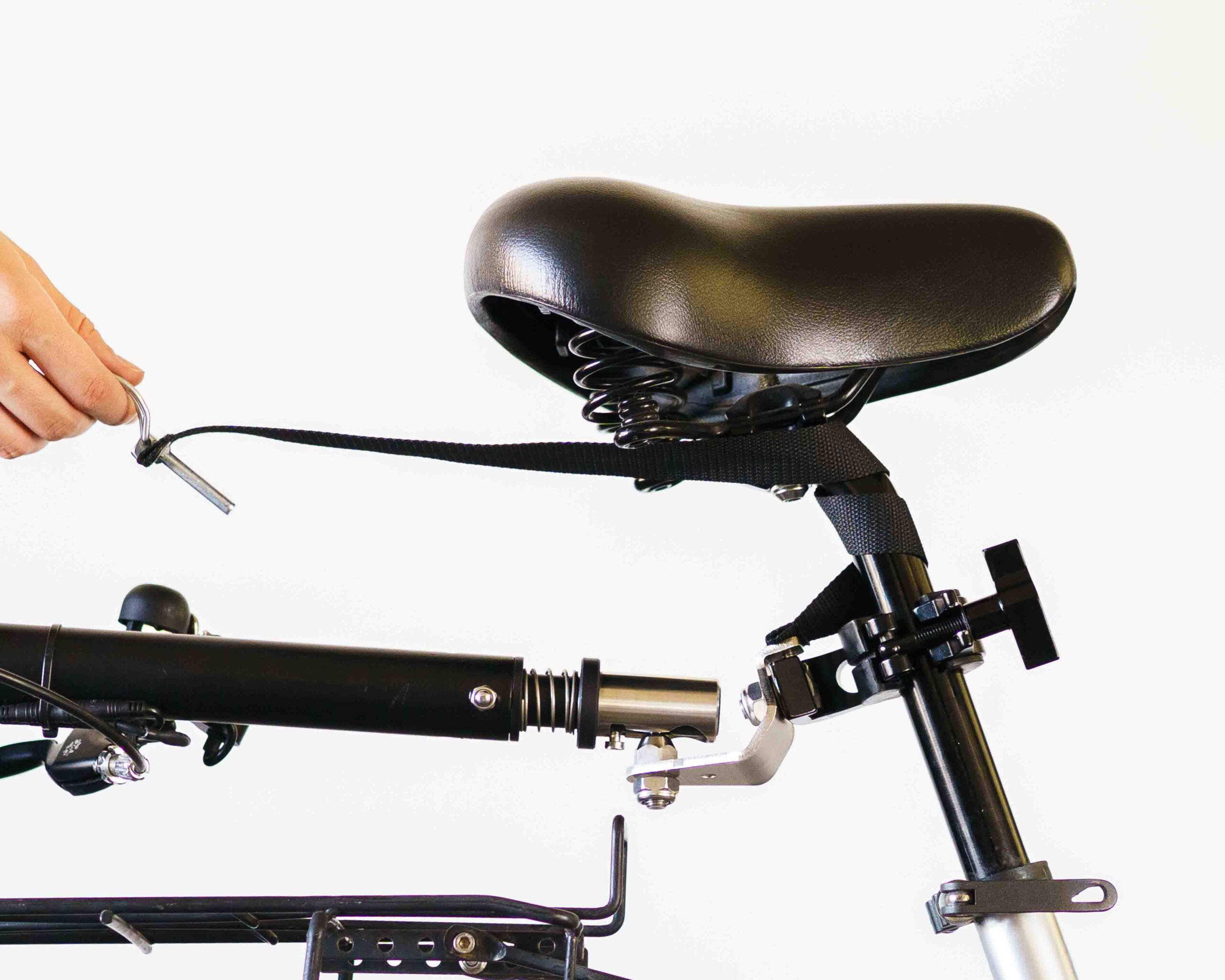
Secure the Safety Strap
Wrap the safety strap twice around the seat post.
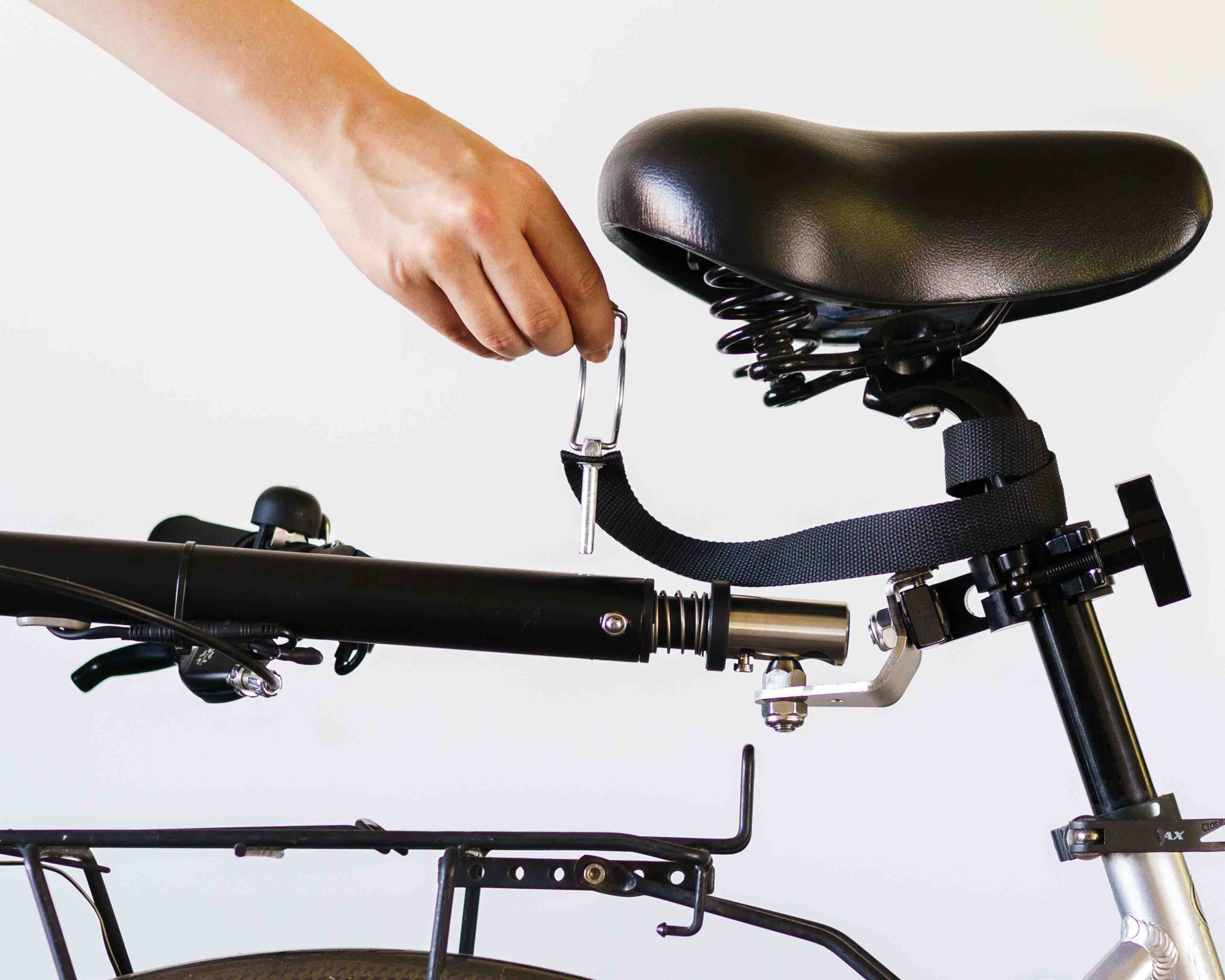
Insert the Safety Pin
Push the locking pin through the hole at the end of the towbar. Secure the pin-latch over the towbar.
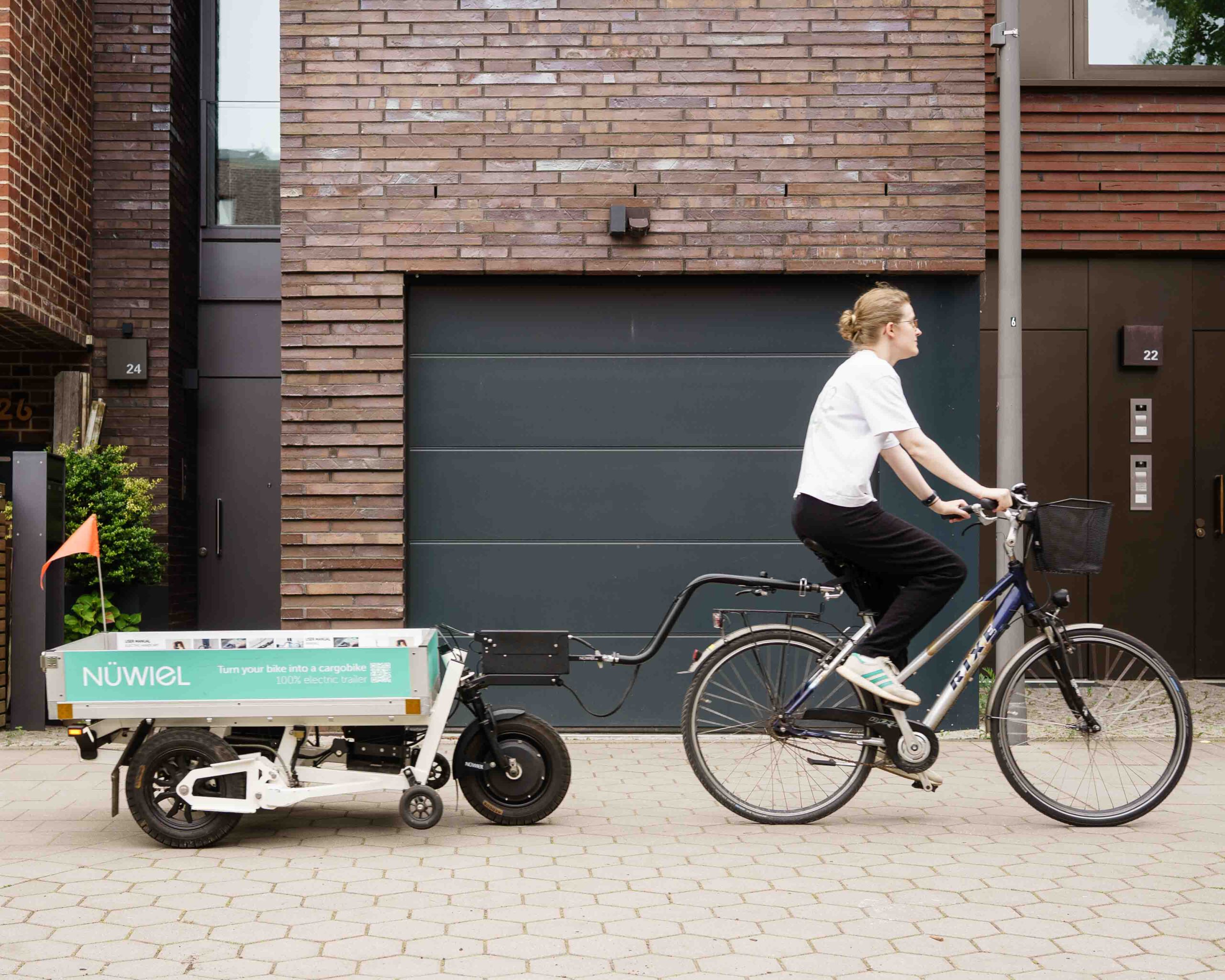
Ride off Gently
Ride slowly when turning. The eTrailer weighs 70kg without load and is 96cm wide.
The Handcart Mode
You are currently viewing a placeholder content from Vimeo. To access the actual content, click the button below. Please note that doing so will share data with third-party providers.
More InformationYou are currently viewing a placeholder content from Vimeo. To access the actual content, click the button below. Please note that doing so will share data with third-party providers.
More InformationTurn on the eTrailer
Press the button inside the lockbox until it beeps and the lights turn on. The eTrailer is now activated.
Position the Towbar
Fold the towbar down and hold it comfortably at your side.
Release Parking Brake
Press and hold the eBrake button for 1 second, until you hear a sound. The button colour will change from red to neutral.
Secure the Safety Strap
If not already done, wrap the safety strap around the coupling.
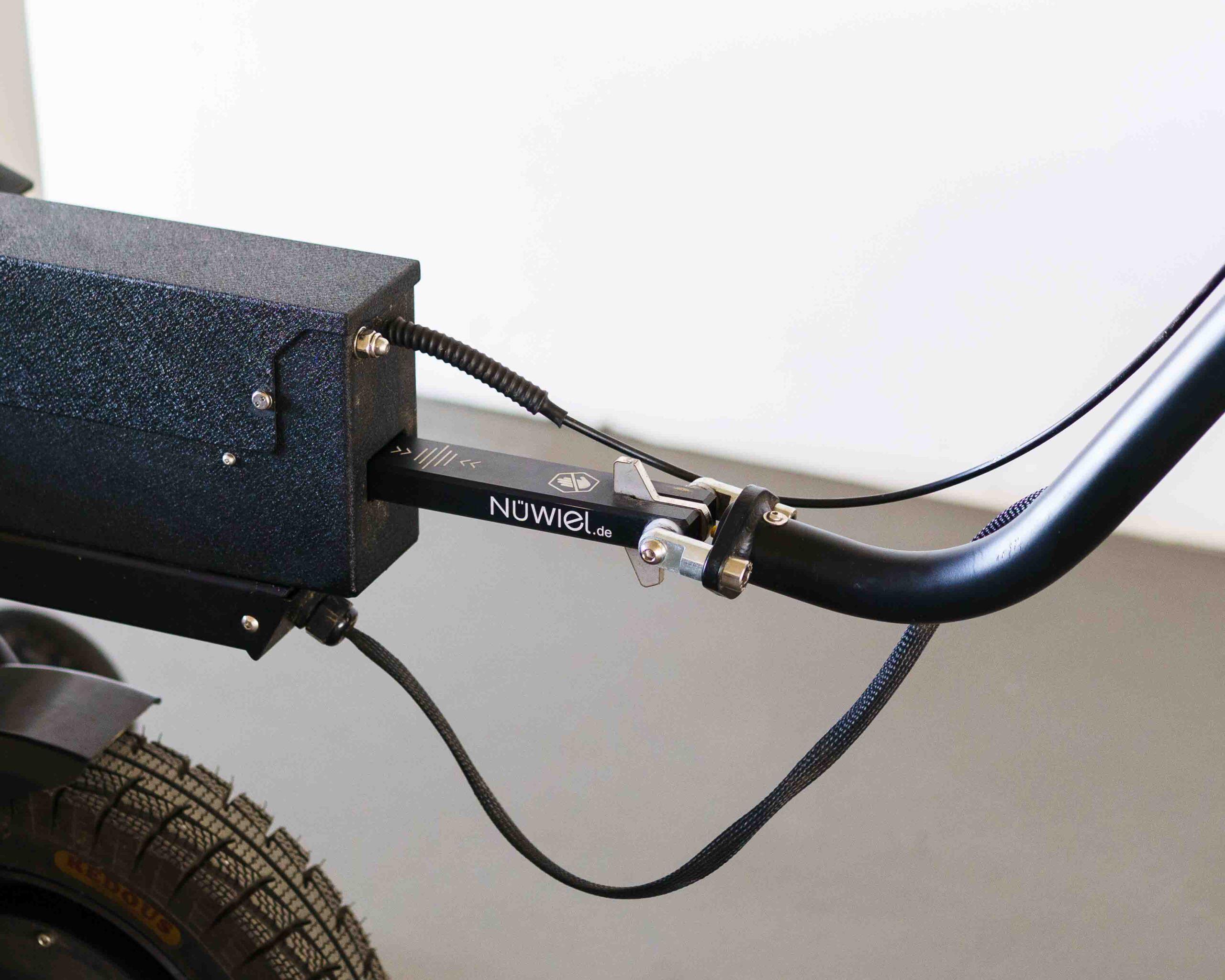
Center the Slider
Gently move the towbar back and forth until the slider is in the middle.
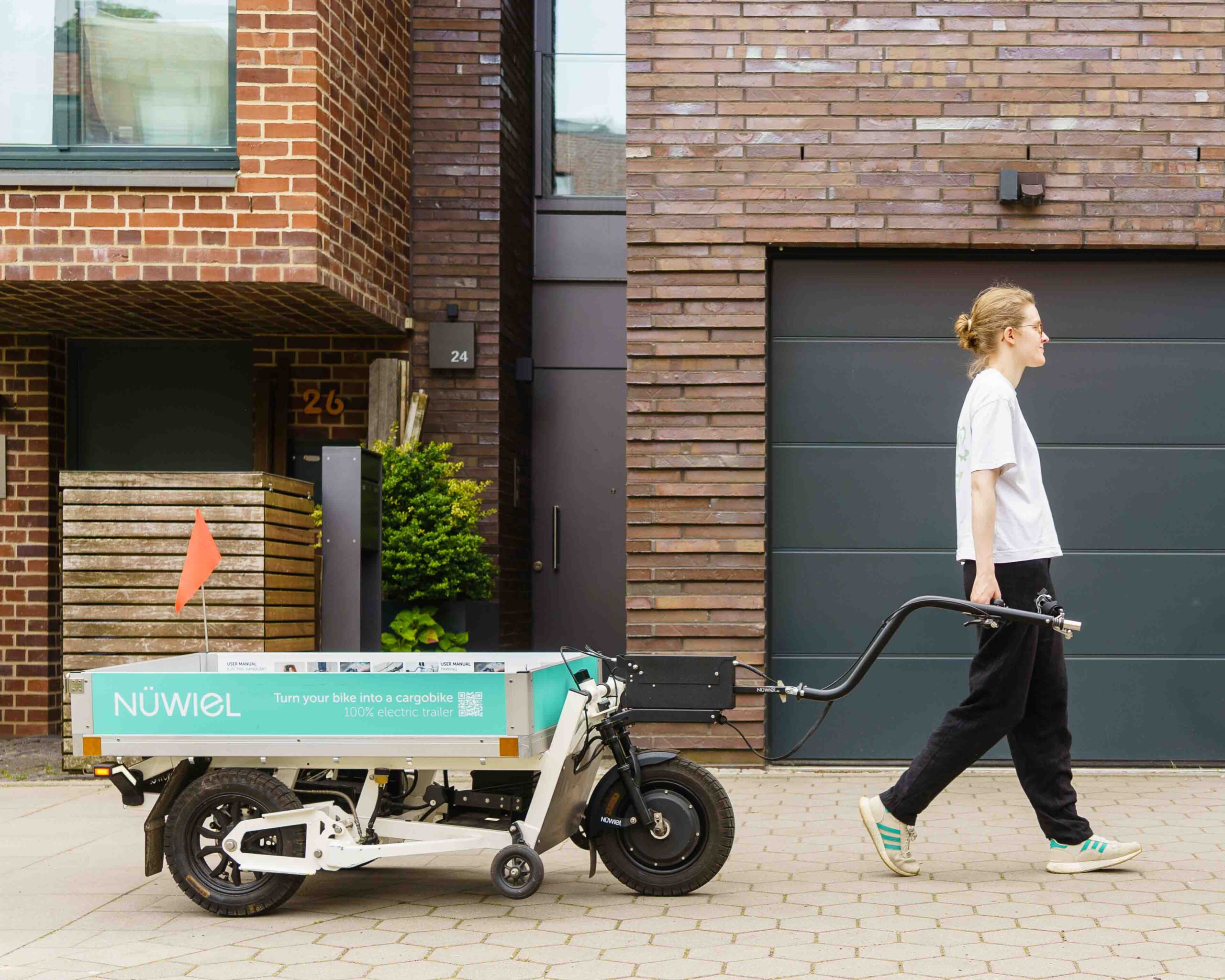
Start Walking Gently
Hold the handle naturally at your side. The eTrailer brakes automatically if the towbar is too high or too low.
Parking
You are currently viewing a placeholder content from Vimeo. To access the actual content, click the button below. Please note that doing so will share data with third-party providers.
More InformationYou are currently viewing a placeholder content from Vimeo. To access the actual content, click the button below. Please note that doing so will share data with third-party providers.
More Information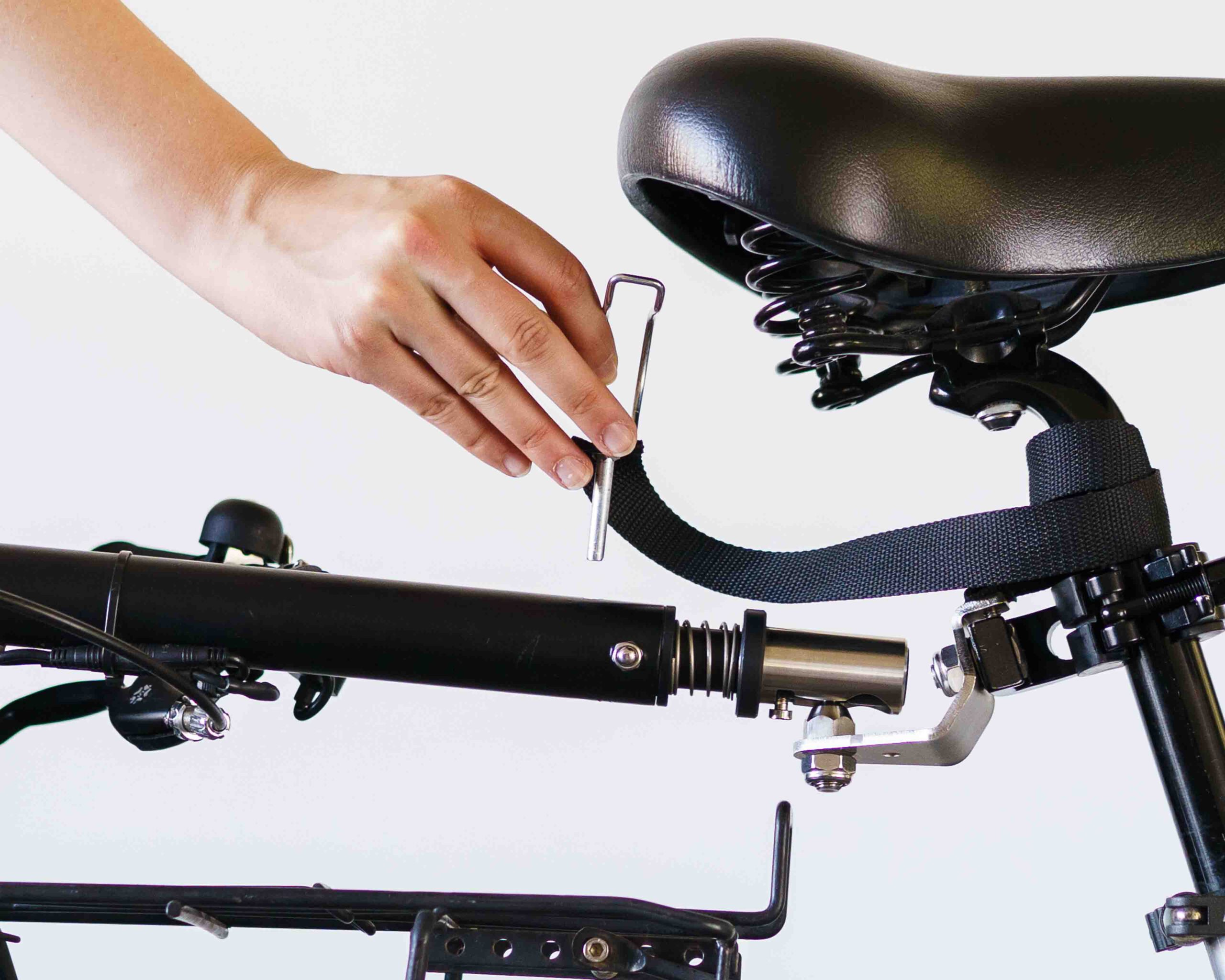
Remove the Safety Pin
Open the pin-latch and remove the safety pin from the towbar.
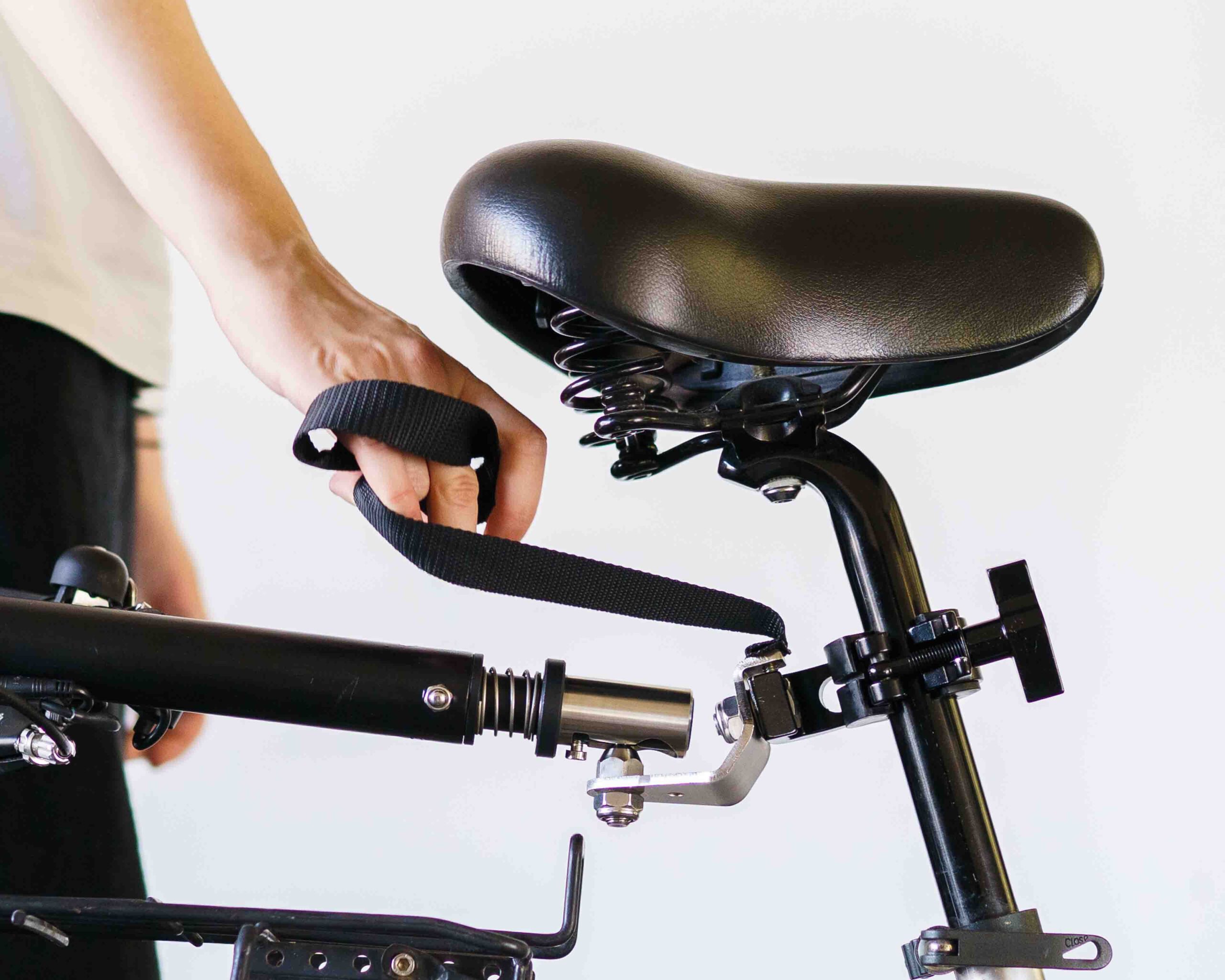
Unwrap the Safety Strap
Unwrap the safety strap from the seat post.
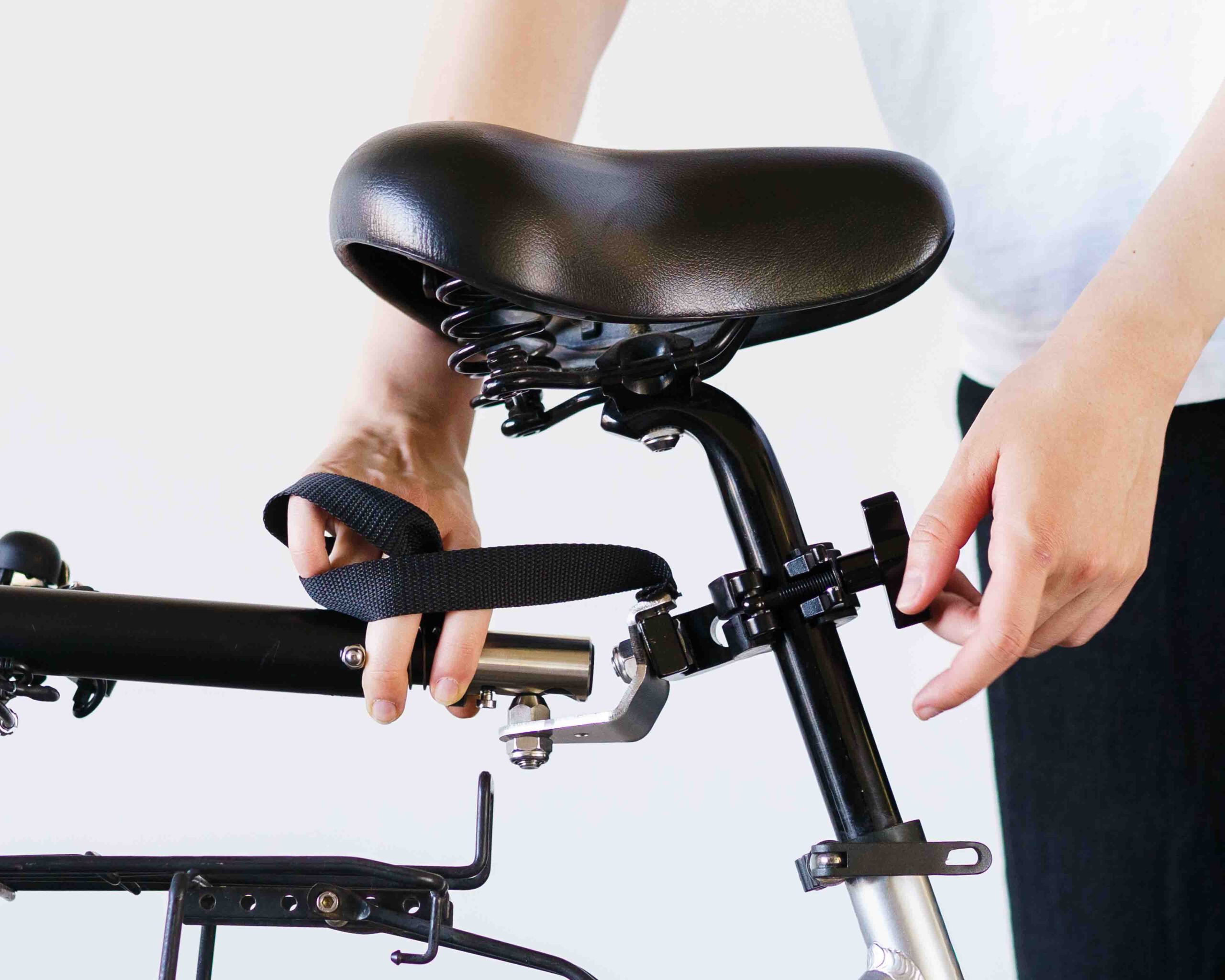
Remove the Coupling
Remove the coupling from the seat post and stow it securely on the eTrailer.
Stow the Safety Strap
Wrap the safety strap around the coupling, push the safety pin through, and secure the pin latch.
Engage the Parking Brake
Press and hold the eBrake button for 1 second until it beeps. The button will light up red.
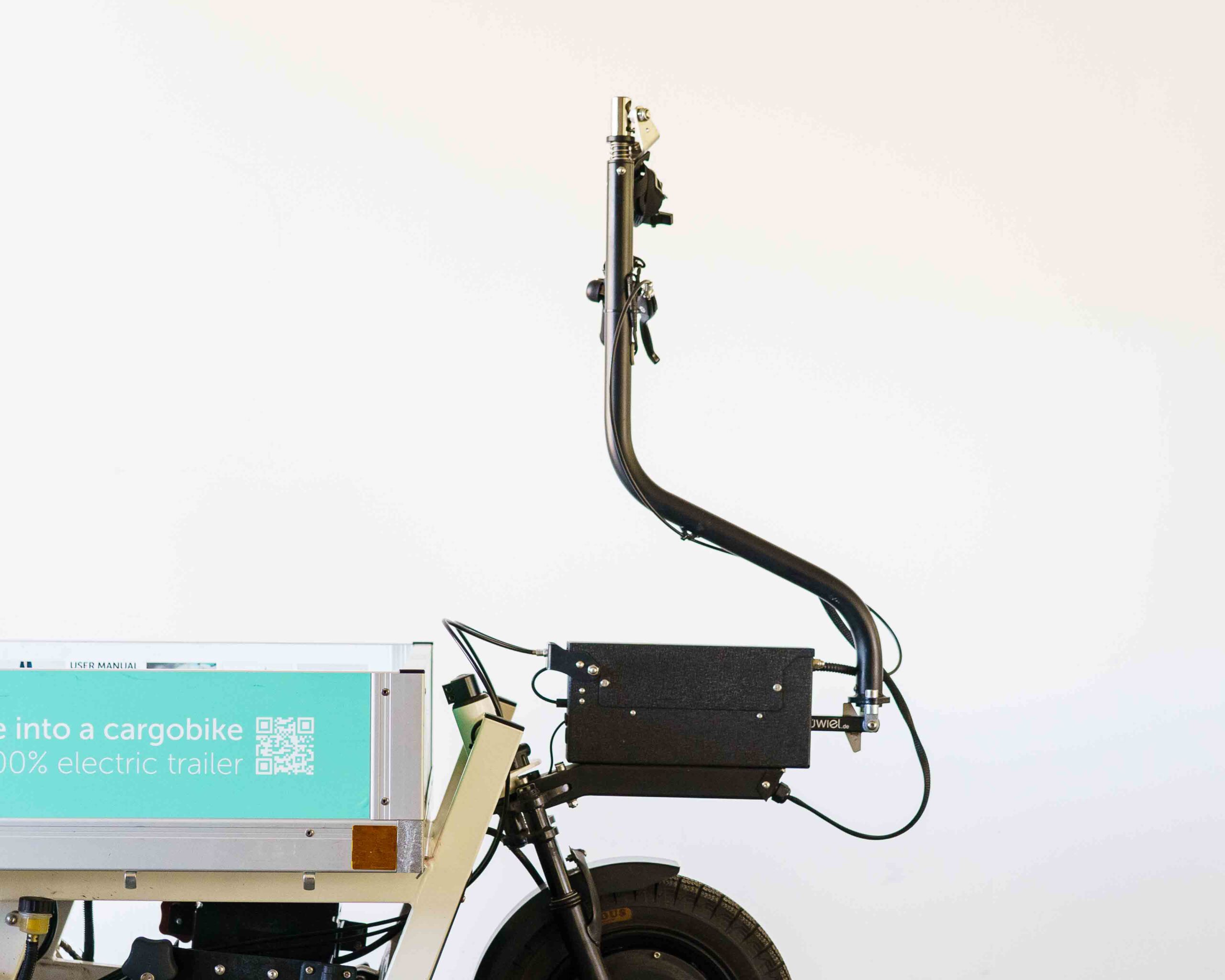
Position the Towbar
Fold the towbar all the way up.
Turn off the eTrailer
Press the button inside the lockbox until the lights turn off. The eTrailer is now deactivated.